Capabilities
Capabilities are what the chat and agents can do besides each person’s own tools: search the web, make pictures, read documents, run code and more (ADR 0071, 0080). Under Control Panel → Capabilities you decide whether the organisation offers each one, how it is done, and its settings. Who has it, with which limits, is up to Capabilities policies.
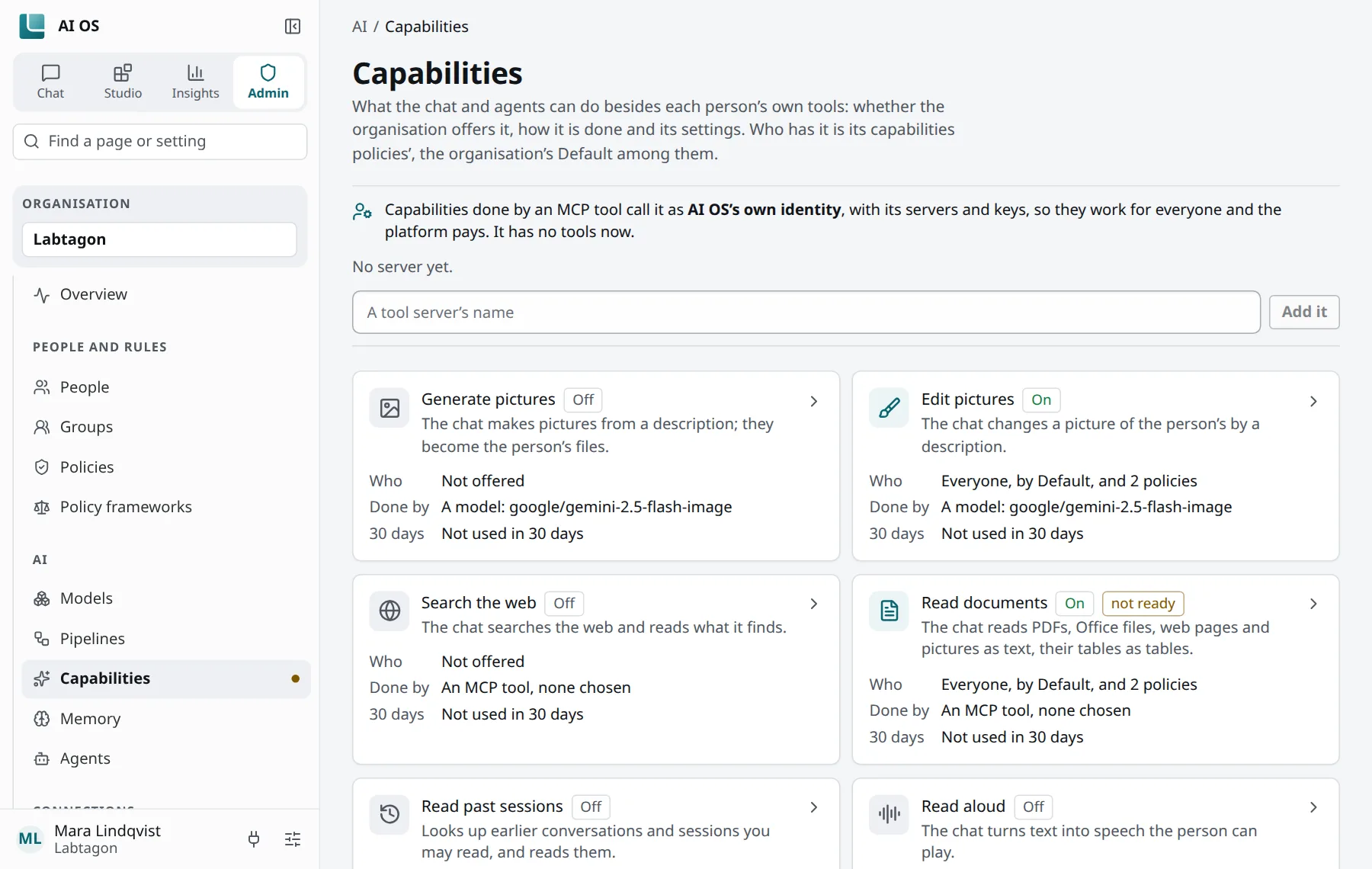
The capabilities
Section titled “The capabilities”| Capability | How it can be done |
|---|---|
| Generate pictures | An image model through your providers (to start with google/gemini-2.5-flash-image), or an MCP tool. |
| Edit pictures | The same: an image model or an MCP tool. |
| Search the web | Built in, by SearXNG, which the chart runs by default; or an MCP tool. |
| Read documents | Built in, by Docling, which the chart runs by default; a model; or an MCP tool. |
| Read past sessions | Built in. |
| Read aloud | An MCP tool. |
| Transcribe | An MCP tool. |
| Run code | Built in: the code sandbox (Python, JavaScript, TypeScript), when the installation has switched it on. |
| Memory | Built in. |
| Agents | Built in. |
| Code environments | Built in (ADR 0094, a draft); off at first. |
Besides, three settings hold for the whole organisation and are never given by a policy: Personal data, Tool call safety and Chat.
An MCP tool used for a capability is called as AI OS’s own identity for the organisation, not as a person, and you set it up in place. Try it tries a capability with the implementation you chose.
Whom it is offered to
Section titled “Whom it is offered to”Each capability on the page has a switch: whether the organisation offers it at all (some are Always on). Below it, the page shows Who has it, what it is Done by, its use over 30 days and its Limits. A capability the organisation does not offer is off, whatever a policy says.
Who has it is decided by Capabilities policies, the organisation’s capabilities Default among them. A policy gives it (Allowed) or withholds it (Not allowed) for everyone, groups or people, with:
- limits per person: uses a day, uses a month, dollars a month;
- a budget a month for everyone it reaches together;
- and, if needed, its own way of doing it.
How several policies combine is in Policies. When a limit is reached, the call is answered with which policy decided and when it opens again; people see Not now, not an error. Every use is counted.
People can switch an offered capability off for one of their profiles, unless a policy requires it. Agents use what their owner has.
What the installation needs
Section titled “What the installation needs”- Search the web built in needs SearXNG, Read documents built in needs Docling: the chart runs both unless its operators switched them off.
- Run code needs the code sandbox (
sandboxes.enabledin the chart, under gVisor). - Where code in the sandbox may reach is the setting Where code a sandbox runs may reach: by default the package indexes, and other websites once the person approves them for the conversation.